
Available now, standalone or distributed
Incident response automation you control
ARRTECH SOAR turns the response your team already knows into playbooks that run the same way every time, and waits for a person wherever you place one. It connects to your tools over their APIs, extracts the indicators from each incident, and records every run.
How it works
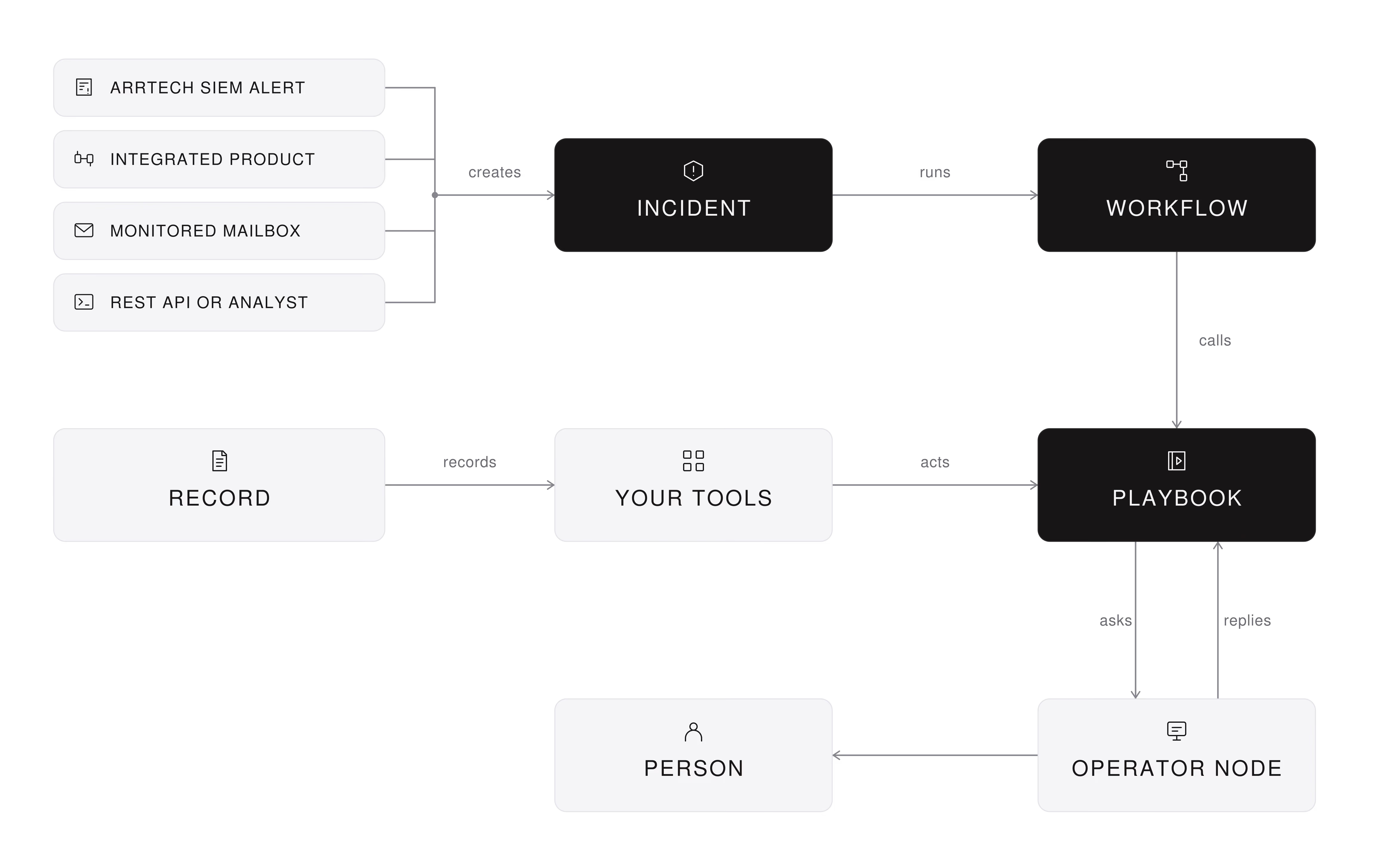
ARRTECH SOAR runs workflows that orchestrate the process and playbooks that act through integration nodes over REST APIs. It automates the steps analysts repeat, so their time goes to decisions. An Operator node emails a person for each decision you reserve, and the playbook waits.
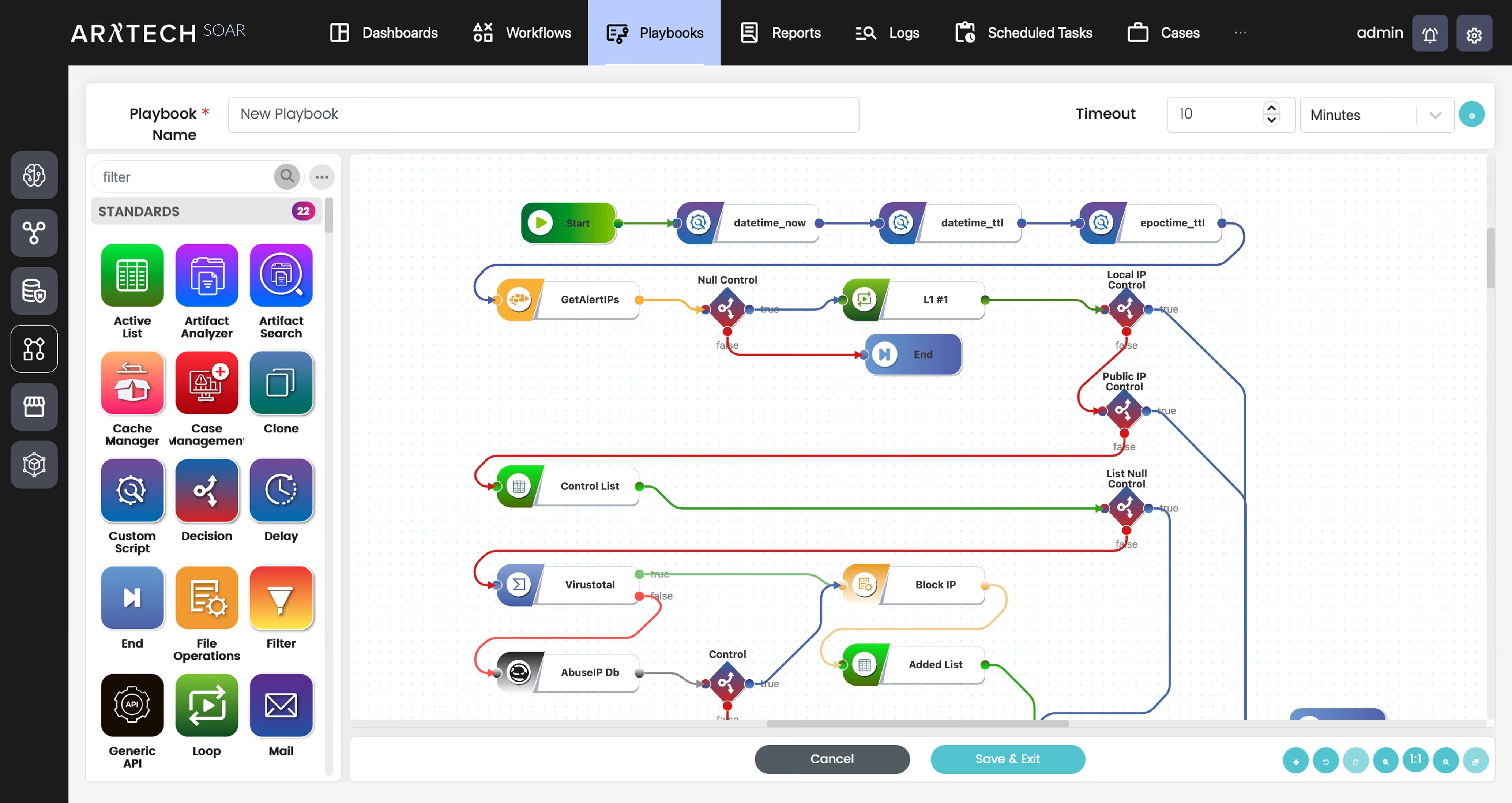
ARRTECH SOAR 5.4: a playbook in the editor, built from Decision, Custom Script and integration nodes.
 Advantages
Your tools act on rules, and a rule cannot weigh context. An Operator node emails the right person, offers up to five reply options, and holds the playbook until the reply arrives. Pending decisions sit on one page. The playbook never decides for them.
Incidents start in many places. ARRTECH SOAR opens one from an ARRTECH SIEM alert or another integrated product, a monitored mailbox, its REST API or an analyst. Each gets a classification, severity, priority and its indicators, then goes to a person or an automation.
Response steps live in analysts' heads and in scripts only their author can read. ARRTECH SOAR builds them from standard nodes: Decision, Filter, Mapping, Delay, Multi Threads and more. A Custom Script node takes Python for the rest. Most steps need no code.
A playbook that touches production needs proof first. Simulation validates every action node without executing it and runs analysis nodes for real. A manual run takes the JSON input you choose. Execution history highlights the failed node, so you fix it before the next incident.
Unmeasured response time does not shorten. Five dashboards come ready: Overall, Incidents, SLA, Playbooks and Artifacts. You build your own from widgets. Reports run on demand or on schedule in PDF, Word, CSV or HTML, and an email, SMS or script follows each.
Requirements
ARRTECH SOAR runs on microservices, standalone or distributed, and shares the ARRTECH console with SIEM and DLP. It connects to security tools, operating systems, applications and web services over REST APIs, reads a monitored mailbox over IMAP or Exchange, and takes modules from the Store.
Limits
ARRTECH SOAR does not detect threats: incidents reach it from your tools, a mailbox, the API or an analyst. It does not act outside a playbook your team built and enabled. A branch that reaches an Operator node waits for the person's reply.
