
Available now, with or without agents
Kernel-level data loss prevention
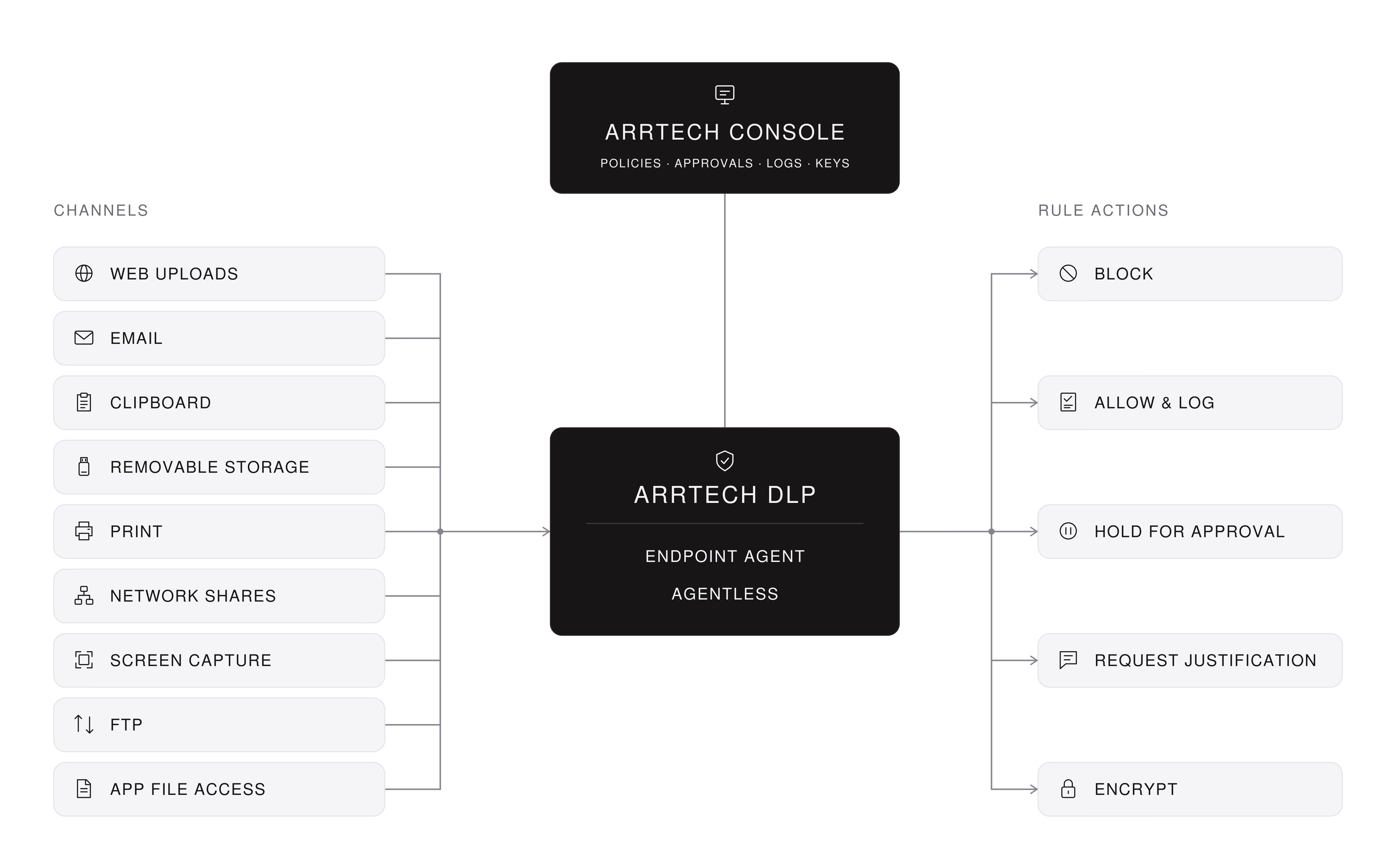
ARRTECH DLP stops sensitive data leaving through web, AI chat, email, network shares, removable media, printers and unmanaged devices. A kernel-level agent on Windows and macOS inspects every transfer inline, and agentless email gateway, ICAP and discovery components cover phones, tablets, file servers and databases.
How it works
ARRTECH DLP inspects web, mail, file and device transfers at the kernel rather than inside each application. It blocks, encrypts or holds a transfer for approval, so one rule protects data without stopping work. Your console records every decision and every supervisor release.
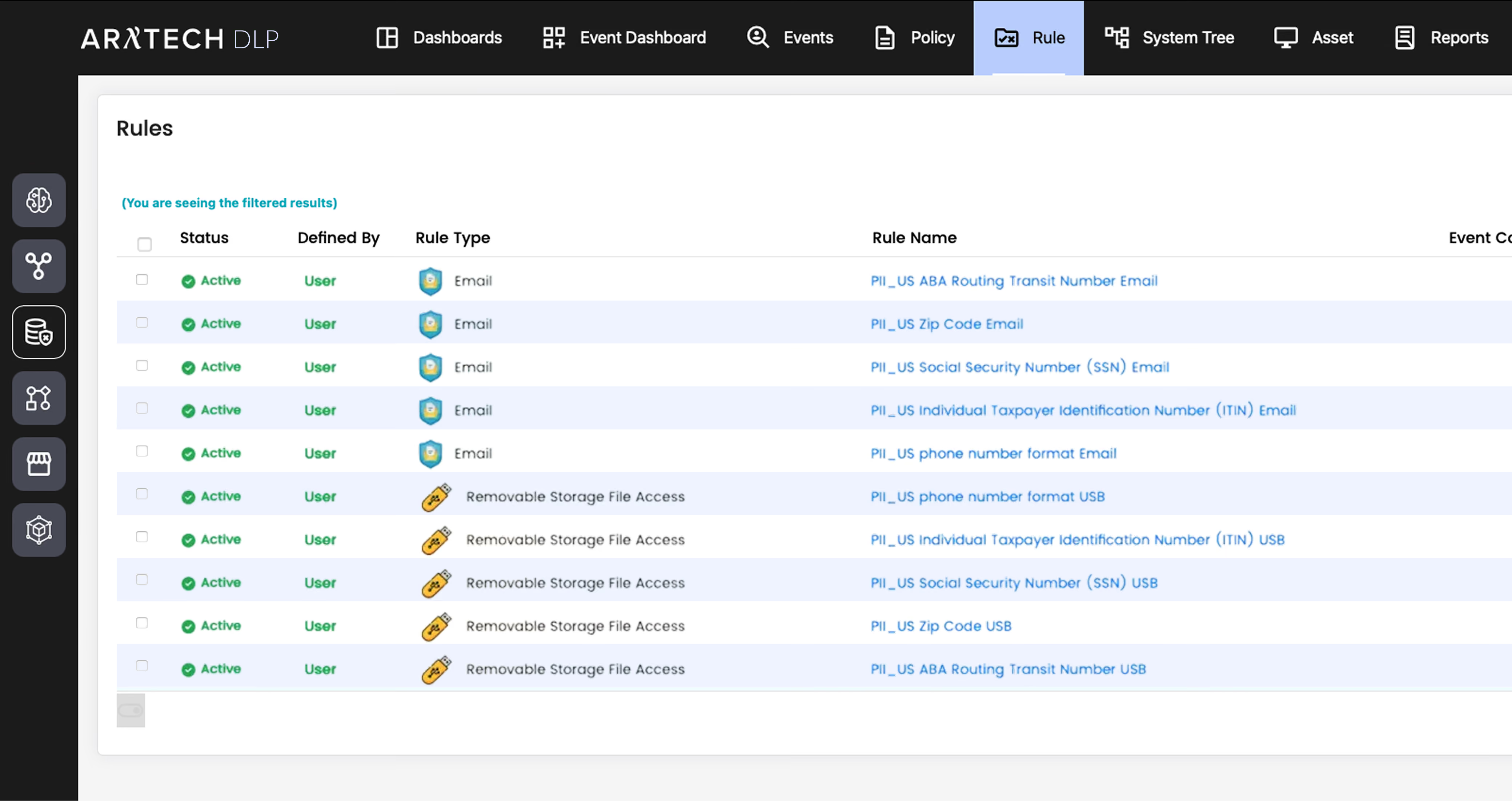
ARRTECH DLP console: the Rules list, with email and removable storage rules for personal data.
 Advantages
Many DLP tools inspect web uploads through a browser extension. Other browsers, scripts and desktop clients go unseen. ARRTECH DLP inspects HTTP, HTTPS and FTPS at the kernel, from every application on the machine. It does not depend on a browser or an extension.
A mail gateway sees a message after Send, when checks add delay. The ARRTECH DLP Outlook add-in checks body, subject and attachments as you write, so nothing waits at Send. Coverage does not end at Outlook: a kernel-level SMTP rule catches other mail clients and scripts.
Allow or block is a poor choice when a transfer might be legitimate. ARRTECH DLP adds encrypt, approve and justify: a company key locks files to agent machines, a supervisor releases held items, or the user gives a reason. Block is one answer of several.
An endpoint agent protects only the machines that carry it. Phones, tablets and unmanaged PCs carry nothing. ARRTECH DLP adds an Email Gateway, an ICAP service for your proxy or firewall, and agentless scans of file servers and databases. Nothing is installed on the device.
Content scanning misses the tethered phone or the sync client that carries the data. ARRTECH DLP allows or blocks devices by serial number, user or time window, and blocks processes by name or hash. Protected processes cannot be stopped, even by a domain administrator.
Web filters allow or block an AI site. An allowed site still takes the pasted contract or the uploaded spreadsheet. ARRTECH DLP reads the prompt, the upload and the API body inline, then blocks and logs sensitive content. The tool itself stays open.
Limits
The agent runs on Windows and macOS; Linux, phones and tablets are covered where their mail and web traffic pass the gateway or ICAP service. Database discovery inventories what it finds and changes nothing. Every action follows a rule you wrote.
Requirements
ARRTECH DLP runs on premises, in the cloud or across both. The agent runs on Windows and macOS and is managed from the ARRTECH console, shared with SIEM and SOAR. The Email Gateway sits between mail server and internet; Network Prevent needs a proxy or firewall that supports ICAP.
